






Website redesigns can drag on forever, delays, unclear feedback, endless revisions. Smart prototyping flips the script. Teams get to build early versions, test ideas fast, and tweak things before sinking time into full development. It’s a huge time-saver and gets a better marketing site live, faster.

With the right UX prototyping tools, marketers can actually see layouts and user flows, no more waiting for a finished product to get a feel. Prototypes show off interactive features, so everyone’s on the same page. That means quicker decisions and less of the back-and-forth that usually drags website projects out.
When marketers lean into smart prototyping, they can test early, spot issues, and focus on what matters most. This keeps projects moving and makes for a way better user experience. Learning how to work prototyping into a redesign isn’t just smart, it saves money and gives everyone more confidence in the end result.
Key Takeaways
- Early prototypes mean faster feedback and quicker redesigns.
- Visual tools help marketing and design teams work together better.
- Focusing on user needs in prototypes leads to stronger websites.
Smart Prototyping: Transforming the Website Redesign Process
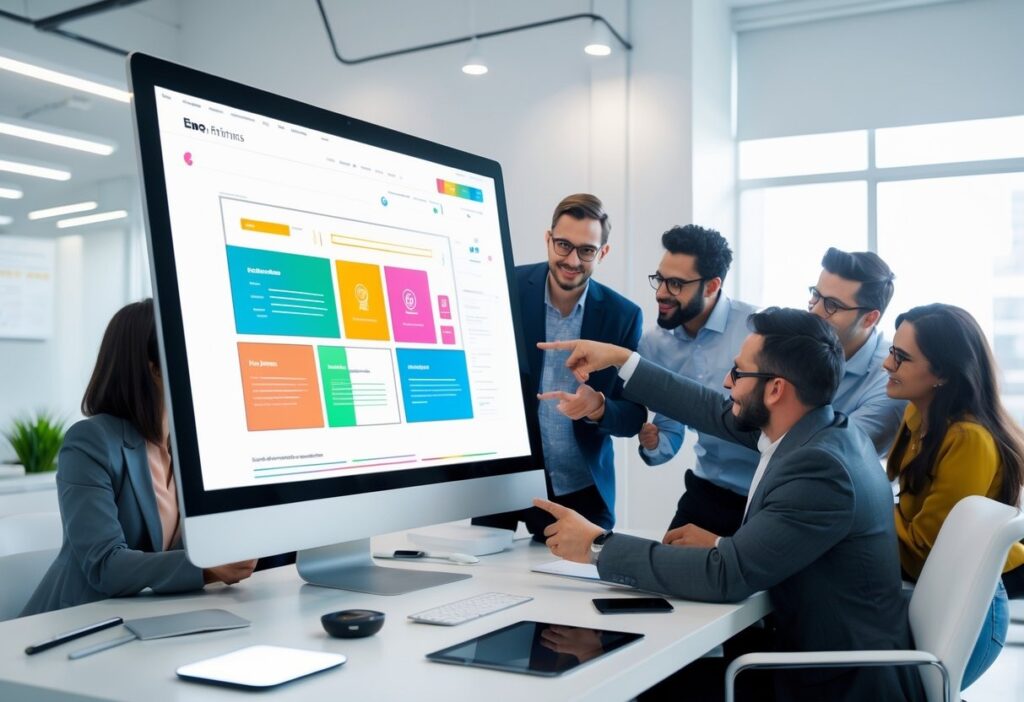
Smart prototyping makes website redesigns way less painful. Teams can quickly build, test, and tweak ideas before jumping into full development. It brings order to messy projects and helps everyone avoid expensive mistakes.
How Website Prototyping Accelerates Marketing Website Redesigns
Prototyping lets you see early, hands-on versions of a new site. Marketers and designers can sketch out wireframes or build interactive mockups, no code needed. This makes it easier to spot usability problems and messaging gaps right up front.
Testing these prototypes with users or stakeholders brings fast feedback. That means fewer last-minute fire drills and less wasted money. Tools like Figma or InVision make updates in real time, so prototyping really does speed up marketing website redesigns.
Key Benefits of Prototyping for Website Redesign Efforts
Prototyping brings a bunch of benefits for website redesigns:
- Early Testing: Catch navigation and usability issues before the real build.
- Clear Communication: Visual models get everyone, marketers, designers, developers, on the same page.
- Reduced Costs: Find flaws sooner so you don’t pay for them later.
- Faster Approvals: Stakeholders see working samples, not just flat images.
- Better User Experience: Real feedback shapes designs that actually work for users.
The Role of UX Prototyping in Modern Redesign Workflows
UX prototyping puts the user’s journey front and center. Teams can simulate how people click around, test navigation, and see if content makes sense. This way, marketing sites aren’t just pretty, they’re actually usable and meet what visitors expect.
These tools make it easy to test and tweak user flows. Teams start with basic wireframes, then move to more detailed, interactive versions as the project moves along. This keeps usability testing focused and cuts down on guesswork.
Collaboration Between Marketers, Designers, and Developers
Smart prototyping really brings marketers, designers, and developers together. Interactive prototypes turn fuzzy ideas into something you can actually see and click, making goals much clearer.
Marketers jump in early with content and business needs. Designers shape those into layouts. Developers give feedback on what’s possible and help avoid tech headaches. This kind of collaboration means fewer surprises and features don’t get missed.
When teams use shared prototyping tools, everyone can comment and make changes as they go. It keeps things transparent and smooths the handoff to development. The result? Less waiting around and a better-performing site in the end.
Essential Prototyping Tools and Methods for Redesign Success
Picking the right prototyping tools and methods can make or break a website redesign. Using both low- and high-fidelity prototypes, along with solid UX prototyping tools, helps teams move faster. Mixing rapid prototyping with ongoing testing keeps websites user-focused and saves both time and cash.
Low-Fidelity vs High-Fidelity Prototyping
Low-fidelity prototypes are basically sketches or wireframes. They nail down layout and page flow, skipping the fancy graphics and interaction. Teams can change these fast and get early feedback on structure and usability, no big investment needed.
High-fidelity prototypes are the opposite; they look polished, with real colors, images, and clickable stuff. These are great for testing user actions and final design details before building anything for real.
Most teams start simple, then ramp up the detail. This step-by-step approach keeps things moving and avoids expensive do-overs late in the game.
Top UX Prototyping Tools for Marketers and Designers
There are a bunch of great UX prototyping tools out there, and they make redesigns way easier:
- Figma lets teams work together live in the cloud, with interactive prototypes and reusable design systems that speed things up.
- Adobe XD is popular for sharing and building both wireframes and high-fidelity prototypes. It’s got plenty of features for UI/UX design.
- InVision is all about quick, clickable prototypes, perfect for getting early feedback.
- Webflow goes a step further, letting you design and develop at the same time. You can even publish prototypes live, so handoff is almost instant.
These tools offer version control, commenting, and connect with project management apps. The best fit depends on your team and how much detail you need.
Integrating Rapid Prototyping and Iterative Testing
Rapid prototyping lets teams build quick versions and test them over and over. This cycle, make, test, fix, helps marketers find problems early and keep designs user-friendly.
Testing interactive prototypes catches layout issues, missing features, or confusing menus before launch. Tools that mimic real clicks and scrolls make the whole thing feel real for testers.
Each round of testing leads to smaller, manageable updates. This keeps redesigns moving and builds confidence before the real development starts.
Best Practices for Usable and Functional Website Prototypes
The best prototypes balance looks and function. Start with wireframes that show clear navigation and content spots, don’t get distracted by colors or fancy fonts right away.
Clickable elements like buttons and forms are a must. They let you test if real users can actually get things done on the site.
Set time limits for each prototype version. Don’t chase perfection, reuse design components to save time and keep things consistent.
When you collect feedback, keep it focused and clear. Built-in collaboration tools help everyone stay in sync and speed up the redesign.
Want to dig deeper? Check out more UX prototyping tools for better collaboration and smoother redesigns.
Frequently Asked Questions
Smart prototyping lets teams test ideas fast and polish the important stuff early. It cuts delays, saves money, and helps marketers and designers actually work together. With the right tools, website redesigns run more smoothly and align better with business goals.
What are the major advantages of using smart prototyping in the website redesign process for marketers?
Smart prototyping shortens timelines, removes confusion, and uncovers issues early, long before costly development begins.
Many teams rely on Impremis to build clickable prototypes that align everyone on layout, content flow, and UX before anything goes into production.
How does prototyping contribute to the user experience (UX) during a website overhaul?
Prototyping reveals UX issues early, helping teams fix navigation gaps, confusing layouts, and broken flows before launch.
A strong user experience boosts engagement and conversions, which is why brands often turn to us for UX-led redesigns that put the visitor first from day one.
What are the best tools available for UX prototyping when planning a website redesign?
Figma, Adobe XD, InVision, and Webflow all help teams build interactive prototypes quickly. These tools make collaboration simpler and bring ideas to life much sooner.
If you’re unsure where to start or need help selecting the right workflow, you can reach out to Impremis for expert prototyping and redesign support.
The Faster Way To Accelerate Your Website Redesign
If you want smoother redesigns, faster approvals, and a website that’s built around real user needs, smart prototyping is the way forward. The team at Impremis can help you streamline your entire redesign workflow with better UX planning, interactive prototypes, and development-ready designs that cut months off traditional timelines.
Whether you’re planning a full rebuild or optimizing an existing site, you can connect with our web design experts for tailored guidance. A smarter redesign process means fewer delays, and a high-performing site that launches faster and converts better.